Every C•CURE 9000 system depends on its databases: personnel, clearances, door and hardware configuration, and the journal activity.
C•CURE can back those databases up on a schedule. What it cannot do is tell you when those backups stop working, keep them somewhere safe,
or keep them from filling up the hard drive.
The problem
- Backups fail silently. An Event gets disabled, a Schedule gets deleted, a disk fills up, a backup job starts failing, and nobody notices until the day a restore is needed.
- Backups sit next to what they protect. When the only backups are on the C•CURE server itself, one failed drive takes the live databases and every backup with it.
- Old backups pile up. Left alone, they fill the drive. If the backups are created on the same drive as the live databases, C•CURE shuts down when it can no longer write to the journal. Cleaning up the backups by hand requires knowing which backups to keep and which to delete, and, of course, someone has to remember to do it.
What C•CURE Backups Manager does, automatically, on a schedule
- Copies every new C•CURE backup to a second location: another drive, an external drive, a NAS, or a network share.
- Verifies every copy against the original using a SHA-256 checksum, and re-checks the copies it keeps on later runs. A copy that goes bad on a failing disk is found and replaced. (Windows does not verify copies on its own.)
- Keeps the newest backups, as many as you choose, for each database and each journal volume, at both locations, and deletes only the oldest. If a backup can't be copied, the original is not deleted.
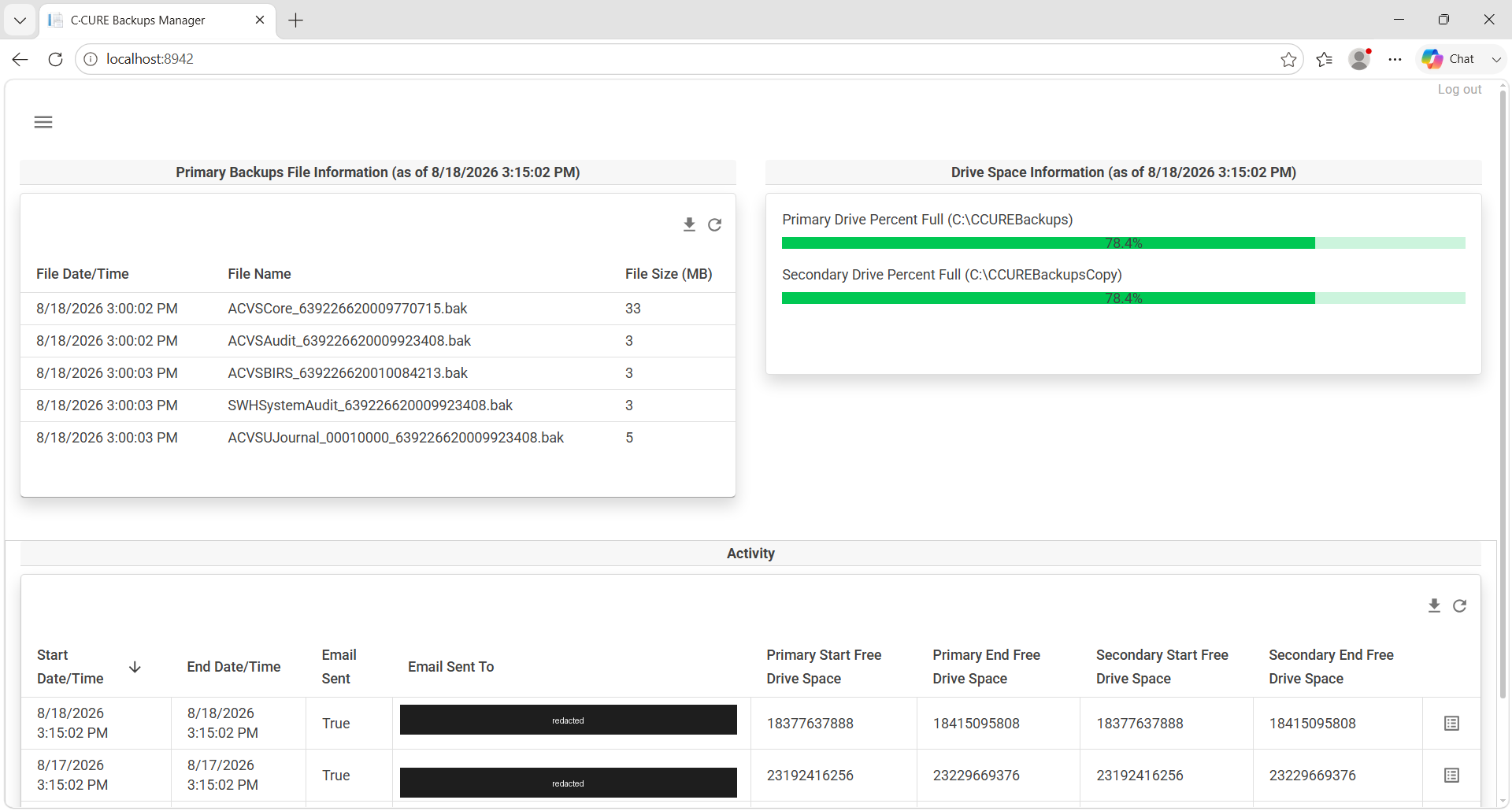
- Alerts you when anything is wrong (a backup more than 24 hours old, a failed or damaged copy, a drive running out of space) by email, by an Event on your C•CURE monitoring station, on a web dashboard, or any combination.
When disaster strikes
If the C•CURE server's drive fails, the server or virtual machine is lost or corrupted, or a database is damaged, you are not hoping a usable
backup exists somewhere. You have recent, verified copies of every C•CURE database on separate storage, and a record of every run showing
they were current and intact. Paired with the SQL Server health checks we recommend at installation, those backups hold healthy databases,
not faithful copies of hidden damage. Restoring becomes a routine task instead of a crisis.
Simple to run
- Runs unattended as Windows Scheduled Tasks, timed to follow C•CURE's own backup schedule.
- Set up in minutes with a point-and-click Configuration Tool. No database administrator or scripting required.
- Runs on the C•CURE server or on a separate Windows machine. The web dashboard is optional.
Download the one-page overview (PDF)
Annual subscription. Includes the software, alerts by email or C•CURE Event, the web dashboard, SQL logging, and support for the Backups Manager software itself.
For pricing, call 1-866-229-3901 or email info@1aisi.com.
Not ready to buy? Try it free for 45 days - no credit card, no obligation.
Request your free trial →